
If you’ve already published on Amazon, Barnes & Noble is the natural next step. It reaches readers who don’t shop on Amazon at all, and getting your book listed costs nothing.
You publish on Barnes & Noble through Barnes & Noble Press, the company’s direct self-publishing platform (formerly called NOOK Press). This guide walks through exactly how to self publish with Barnes & Noble, what it pays, what changed in 2026, and how it stacks up against Amazon KDP.
Does Barnes & Noble Publish Self-Published Books?
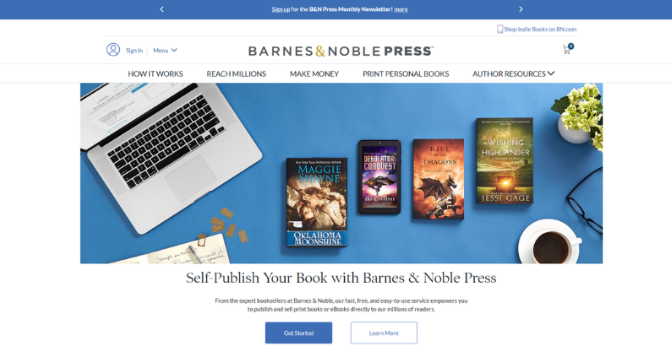
Yes. Barnes & Noble accepts self-published authors through B&N Press, its free platform for independent authors and small publishers. You can publish ebooks and print books, including paperback and hardcover, for sale on BN.com and across NOOK devices and apps.
There’s no exclusivity requirement. You can run the same book on Amazon KDP and Barnes & Noble Press at the same time, with no conflict between the two.
What You Need Before You Start
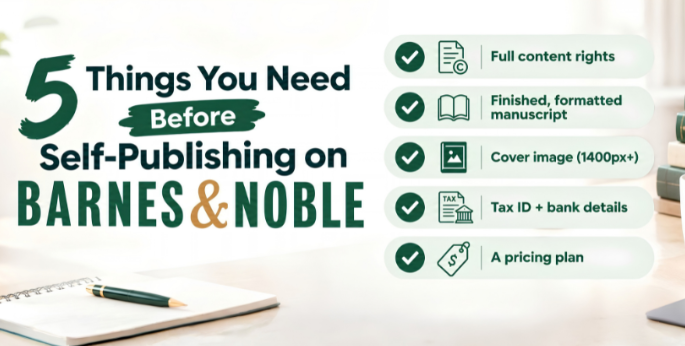
A few things to have ready before you create your account:
- Full rights to your content: You must own all rights to the text and any images or illustrations in your book. Third-party material needs proper licensing.
- A finished, formatted manuscript: EPUB3 is B&N Press’s preferred ebook format, though Word documents and TXT files are accepted with automatic conversion. Print books need a print-ready PDF for the interior and cover, or a properly formatted Word document.
- A cover image: At least 1400 pixels on the shortest side for ebooks; a print-ready PDF cover for physical copies.
- Tax and banking details: You’ll register as a vendor with your tax ID (SSN or EIN) and bank account information so royalties can be paid out.
- A pricing plan: Know roughly what you want to charge before you set up your listing, since pricing affects your royalty and, for print, has a new minimum (more on that below).
How to Self Publish on Barnes & Noble: Step-by-Step
Step 1: Create Your B&N Press Account
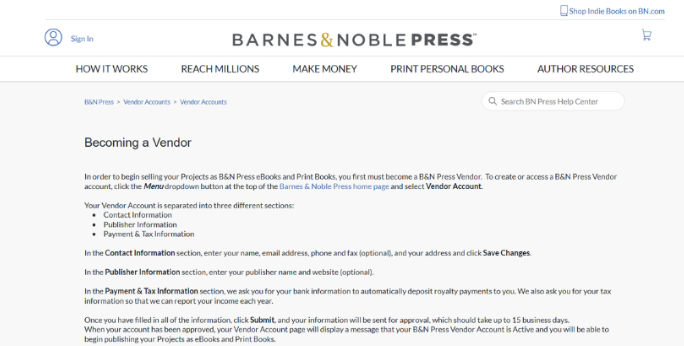
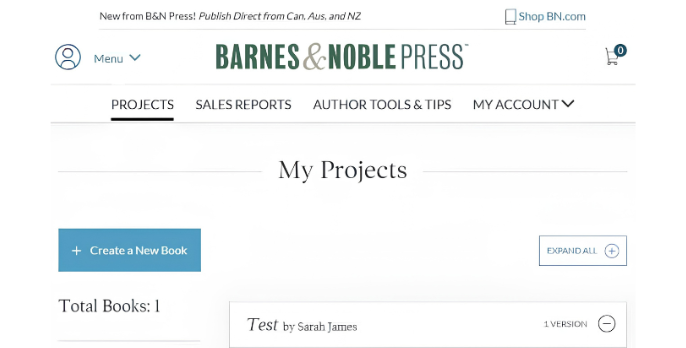
Go to press.barnesandnoble.com and register. You’ll enter your contact information, publisher name, tax details, and bank account for royalty payments. Note that this login is separate from your regular BN.com shopping account, even after the site’s 2026 redesign.
Step 2: Add Your Book Details
Enter your title, description, categories, and keywords. Treat this like a product listing: a clear, accurate description and the right categories help readers find your book through BN.com search.
Step 3: Upload Your Files
For ebooks, upload an EPUB3 file if you have one, since B&N’s reading engine is EPUB3-native and renders it closer to what you designed, with fewer surprises than a converted file. Word and TXT files work too, just with less control over final formatting.
For print, upload your interior file and a print-ready cover PDF. Trim sizes run from 5 x 8 inches up to 8.5 x 11 inches. All fonts need to be embedded in your files.
Step 4: Choose or Assign an ISBN
Print books need an ISBN. B&N Press will assign one for free, but it’s exclusive to B&N, you can’t reuse it on KDP or IngramSpark. If you want one ISBN to work across every platform, buy your own through Bowker before you publish.
Step 5: Set Your Price
This is where B&N’s 2026 rules matter. As of April 22, 2026, B&N Press set a $14.99 minimum price for print books; titles listed below that were pulled from sale in mid-May 2026. Ebooks have no minimum, but pricing still affects your total earnings, so weigh it against what similar books in your category charge.
Step 6: Submit for Review
After submission, B&N Press typically reviews your files within 24 to 72 hours. If something’s rejected, a formatting issue, a missing embedded font, you’ll need to fix it and resubmit.
Step 7: Go Live
Once approved, your book appears on BN.com and, for ebooks, across NOOK devices and apps. From here, promotion is on you: email your list, update your author pages, and link the B&N listing anywhere you’d normally point readers to buy.
Barnes & Noble Self Publishing Cost and Royalties
The platform itself is free: No signup fee, no listing fee, no charge to publish. You only give up a share of each sale.
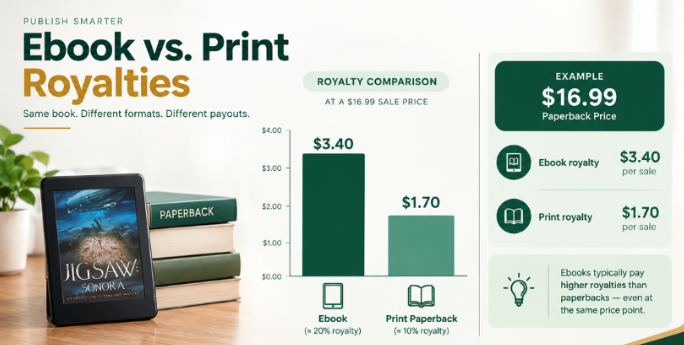
Ebook royalty: A flat 70% of your list price on any ebook priced $0.99 or higher, with no delivery fee deducted regardless of file size.
Print royalty: Roughly 55% of list price, minus your per-copy printing cost. Printing cost depends on trim size, page count, and whether you’re printing in black-and-white or color. For a standard 6×9, 200-page black-and-white paperback, printing typically runs around $3.60 a copy, so a book priced at $16.99 nets an author royalty of roughly $5.74 per sale.
Payment schedule: Royalties are paid monthly once your balance hits $10, or biannually if it doesn’t.
Barnes & Noble Press vs. Amazon KDP
If you’re already on KDP, here’s how the two compare:
| Barnes & Noble Press | Amazon KDP | |
| Ebook royalty | 70% flat, $0.99+ | 70% only between 2.99–9.99; 35% outside that range |
| Ebook delivery fee | None | Charged based on file size |
| Print royalty | ~55% of list price minus printing cost | Up to 60% of list price minus printing cost |
| Minimum print price | $14.99 (as of April 2026) | No fixed minimum |
| Exclusivity required | No | Only if you opt into KDP Select |
| Free ISBN | Yes, B&N-exclusive | Yes, Amazon-exclusive |
| Physical store access | 600+ B&N locations (with conditions, see below) | None |
The practical takeaway: Amazon usually wins on volume and print royalty percentage. B&N Press wins on ebook royalty structure for low-priced or large files, and it reaches a reader base that doesn’t shop on Amazon at all. Most authors publish on both rather than choosing one.
Can Your Book End Up on Barnes & Noble Shelves?
This is the part most guides skip over.
Publishing through B&N Press does not automatically put your book on physical shelves. B&N Press titles are print-on-demand, which classifies them as non-returnable under B&N’s terms. Traditional in-store inventory requires books to be returnable, so B&N Press titles don’t automatically qualify for standard shelf placement.
What is possible:
- Local consignment or events. Your nearest Barnes & Noble store may agree to carry your book on consignment or host a signing, at that store manager’s discretion. This means contacting the store directly.
- Wholesale distribution. Broader in-store placement runs through A360 Distribution, B&N’s exclusive wholesaler, and requires separate approval from both A360 and Barnes & Noble.
- Getting listed on BN.com specifically (separate from your B&N Press listing) can be requested by emailing your ISBN to B&N’s publisher inquiry address, though review can take four to six weeks.
One important warning: Barnes & Noble has stated it will never contact authors offering in-store placement in exchange for payment. Treat any such offer as a scam.
For most self-published authors, a strong, well-optimized BN.com listing reaches far more B&N readers than consignment in one or two local stores. Start there.
What Changed on Barnes & Noble Press in 2026
Three policy updates took effect in spring 2026 and affect anyone publishing now:
- New print price floor: Print books can’t be listed below $14.99. Listings below that were blocked starting April 22, 2026, and existing underpriced titles were removed from sale on May 14, 2026.
- Title cap: Each account is now limited to 100 individual titles.
- Public domain ban: Public domain reprints (classic novels, out-of-copyright works) are no longer accepted. Existing public domain titles are being removed, and repeat violations can lead to account closure.
If your book is original work, the public domain rule doesn’t affect you, but the pricing and title-cap changes are worth checking against your plans.
Common Mistakes When Self Publishing on Barnes & Noble
- Assuming it’s the same process as KDP: File requirements, ISBN handling, and royalty math all differ.
- Pricing print books under $14.99: These listings are now blocked.
- Using B&N’s free ISBN and expecting to reuse it elsewhere: It’s exclusive to B&N.
- Expecting automatic shelf placement: It isn’t automatic; it requires separate steps.
- Publishing once and walking away: A listing without an optimized description, the right categories, or any promotion rarely gets discovered.
- Ignoring embedded fonts and file specs: This is the most common reason for rejected submissions.
DIY vs. Hiring Help to Self Publish on Barnes & Noble
DIY makes sense if: you’re comfortable formatting EPUB3 or print-ready PDFs, want full control over your account and pricing, and don’t mind managing separate specs across multiple platforms.
Hiring help makes sense if: you’re already managing KDP and don’t want to learn a second platform’s file rules, you want one team handling formatting, cover specs, and metadata consistently across every store, or you want your book distributed to B&N alongside Amazon, Apple Books, and other retailers without doing each setup yourself.
Questions worth asking any publishing service before you hire them:
- Do I keep ownership of my files, ISBN, and B&N Press account?
- Which platforms are included, and is B&N Press one of them?
- How are formatting and file rejections handled?
- Is pricing transparent, with no hidden per-platform fees?
Ready to Publish on Barnes & Noble?
Self-publishing on Barnes & Noble costs nothing and takes real, but manageable, effort: register, format your files correctly, price within the current rules, and submit for review.
If you’d rather not manage a second platform’s file specs and metadata on top of Amazon, Bookstone Publishers can handle formatting, cover design, and distribution setup on Barnes & Noble alongside your other retail channels. Get a free publishing quote or book a consultation to talk through your book.
Frequently Asked Questions
Does Barnes & Noble publish self-published books?
Yes, through Barnes & Noble Press, its free self-publishing platform for ebooks and print books.
How much does it cost to self publish on Barnes & Noble?
The platform itself is free. Print books have a per-copy printing cost deducted from your royalty; ebooks have no production cost.
What are Barnes & Noble self publishing royalties?
70% flat on ebooks priced $0.99 and up, with no delivery fee. Print pays roughly 55% of list price minus printing cost.
Can I self publish on Barnes & Noble and Amazon at the same time?
Yes. B&N Press requires no exclusivity, so you can run the same book on both platforms.
Do I need an ISBN to self publish on Barnes & Noble?
Print books need one. B&N Press provides a free ISBN, but it’s exclusive to B&N; buy your own through Bowker if you want it to work across multiple platforms.
Can my self-published book get into physical Barnes & Noble stores?
Not automatically. B&N Press books are print-on-demand and classified as non-returnable, so they don’t enter standard in-store inventory. Local consignment or wholesale distribution through A360 are separate paths.
What’s the minimum price for a print book on Barnes & Noble Press?
$14.99, as of an April 2026 policy change.
How is Barnes & Noble Press different from Amazon KDP?
B&N pays a flat 70% ebook royalty with no delivery fee, while KDP’s 70% tier only applies between 2.99–9.99 and deducts a delivery fee. KDP generally pays a higher print royalty percentage. Neither requires exclusivity unless you opt into KDP Select.